
Telehealth Psychiatry Across Washington State
See a psychiatric provider by secure video from home, work or anywhere you are in Washington. Modern Mind & Wellness offers virtual psychiatric evaluations and medication management for children, teens and adults statewide, from Seattle and Spokane to Vancouver, Bellingham and everywhere in between.
In-network with most major insurance plans · Call or text (425) 300-9555
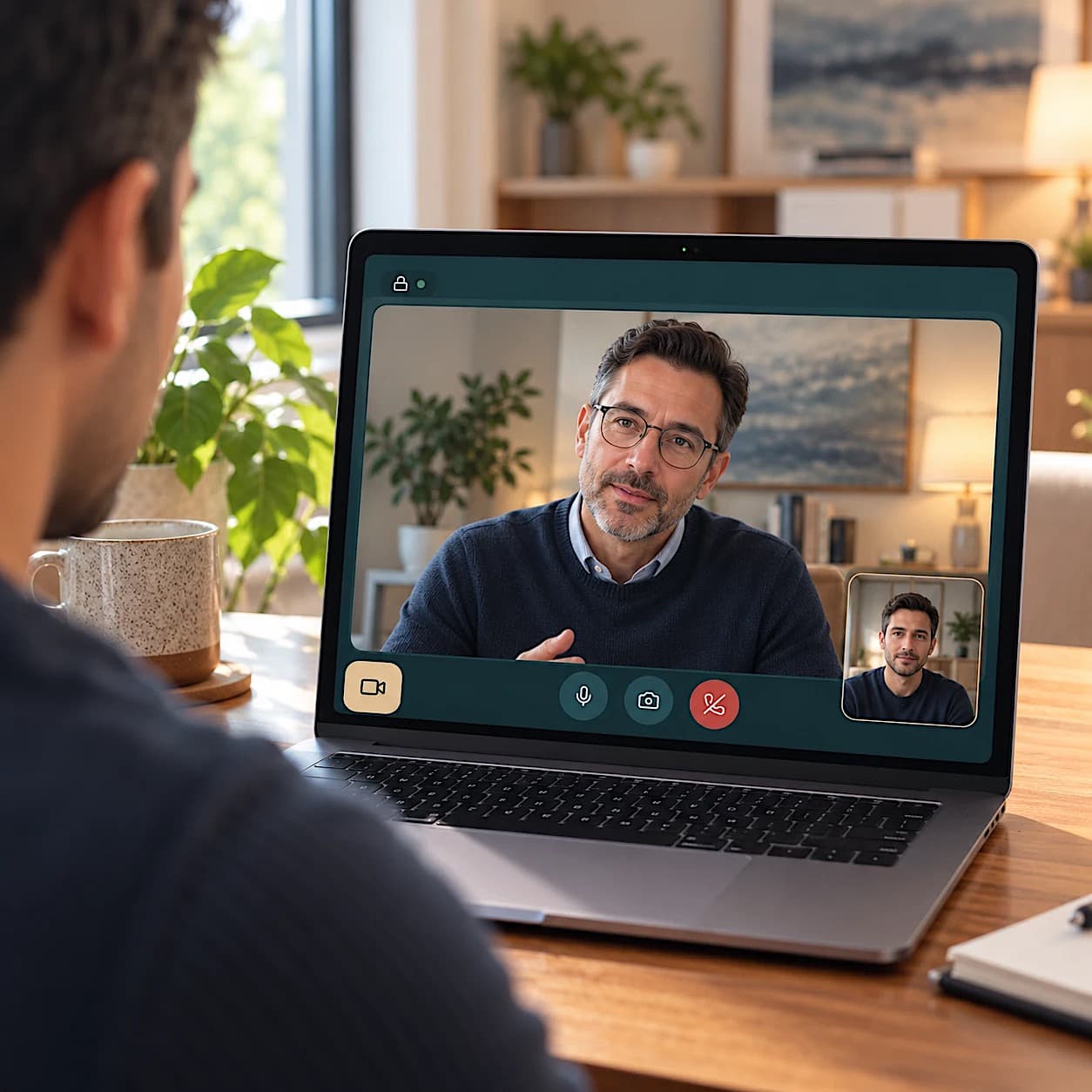
Psychiatric care wherever you are in Washington
We see telehealth patients in every county in Washington State. Our provider is licensed in Washington, so you get the same care you’d receive in our Bellevue office without the drive, the traffic or time off work.
Cities we commonly see patients from include Seattle, Bellevue, Redmond, Kirkland, Tacoma, Everett, Olympia, Spokane, Vancouver, Bellingham, Yakima, Wenatchee and the Tri-Cities.
Telehealth is a good fit if you:
- Live outside the Eastside or in a rural part of the state
- Have a busy schedule, young kids at home, or limited transportation
- Feel more comfortable talking from your own space
- Are a college student attending school in Washington
- Need steady follow-up visits for medication management
Important: you must be in Washington State during your visit
You need to be physically located in Washington State at the time of every telehealth appointment. Licensing laws are based on where the patient is during the visit, not where they live. At the start of each visit we’ll confirm your location.
If you’ll be traveling outside Washington, please call or text us ahead of time so we can reschedule. If you join from outside the state, we’ll need to reschedule the appointment.
Services available by telehealth
- Psychiatric evaluations for new patientsLearn more
- Medication management and follow-up visitsLearn more
- Child & adolescent psychiatry, with a parent or guardian joiningLearn more
- Pharmacogenetic testing consultations and results reviewLearn more
In-person only: NeuroStar® TMS Therapy and SPRAVATO® (esketamine) are done at our Bellevue clinic. A telehealth visit is a convenient way to find out whether either option might be right for you.
We treat a wide range of conditions by telehealth, including depression, anxiety, ADHD, bipolar disorder, PTSD, OCD and more. See all conditions we treat.
How to join your telehealth visit with MYIO
All telehealth visits are held through MYIO, our secure, HIPAA-compliant patient portal from Valant. You can join from the MYIO app on your phone or tablet, or by signing in on a computer browser. The same login also lets you complete forms, message our office, view appointments and pay your bill.
Step 1. Set up your MYIO account
You’ll receive an invitation by text or email with an access code. Use it to create your username and password. Didn’t get it? Call or text us and we’ll resend it.
Step 2. Choose how you’ll join
- On a phone or tablet (recommended): download the free MYIO app from the App Store or Google Play, then sign in with your MYIO username and password.
- On a computer: go to the MYIO patient portal and sign in using Google Chrome, Microsoft Edge or Mozilla Firefox. MYIO does not support Safari.


Step 3. Join 5–10 minutes early
Sign in, open your upcoming appointment and select the option to join your telehealth session. Allow access to your camera and microphone when asked. Your provider will join you at your appointment time.
Need help with the portal? Valant’s MYIO help center has setup guides for both the app and browser.
Having trouble connecting? We have a backup.
If MYIO isn’t working for you, whether it’s a login problem, an app that won’t load or an audio or video issue, call or text our office at (425) 300-9555. We’ll text you a secure link so you can join your appointment from a web browser instead. No download needed.
We keep backup HIPAA-compliant video platforms ready, so a tech issue doesn’t have to mean a missed appointment.
Quick fixes to try first:
- Update the MYIO app, or delete and reinstall it
- Force-close the app and reopen it
- In a browser, switch from Safari to Chrome, Edge or Firefox and refresh the page
- Check that your camera and microphone permissions are turned on
- Move closer to your Wi-Fi router or switch to cellular data
What you’ll need
- A smartphone, tablet, laptop or desktop with a camera, microphone and speakers (headphones help with privacy)
- A stable internet or cellular connection
- The latest version of iOS or Android if you’re using the app
- Your MYIO username and password
Preparing for your appointment
- Find a private, quiet space where you can talk openly. Please don’t join while driving; if you’re in a car, be safely parked.
- Complete forms in MYIO before your first visit so your time with your provider is spent on you.
- Have your medications nearby, including doses, plus your pharmacy’s name and location.
- For children and teens, a parent or guardian should be available to join the visit.
- Keep your phone handy in case we need to call or text you a backup link.
Private, secure and personal
MYIO and our backup platforms are HIPAA-compliant and encrypted to protect your health information. Visits are never recorded. You’ll get the same thoughtful, personalized care you’d expect in our office, and you can switch between telehealth and in-person visits at our Bellevue clinic as your needs change.
Prefer to come in? In-person visits are available too.
Our Bellevue clinic is at 13401 Bel-Red Road, Suite A8, Bellevue, WA 98005, a short walk from the BelRed light rail station, with free parking. Many patients mix both: an in-person first visit, then telehealth follow-ups, or the other way around.
Telehealth psychiatry FAQs
Yes. Modern Mind & Wellness sees telehealth patients anywhere in Washington State, including Seattle, Tacoma, Spokane, Vancouver, Bellingham, Olympia, Yakima and rural areas, for psychiatric evaluations and medication management.
No. You must be physically located in Washington State at the time of your appointment, even if you’re a Washington resident. If you’ll be out of state, call or text (425) 300-9555 to reschedule.
We use MYIO, Valant’s secure, HIPAA-compliant patient portal. You can join through the free MYIO app for iPhone or Android, or by signing in to the MYIO portal in Chrome, Edge or Firefox on a computer.
The MYIO app is recommended but not required. You can also sign in to the MYIO patient portal from a web browser. If neither works, we can text you a link to join from your browser.
Call or text our office at (425) 300-9555. We have backup HIPAA-compliant video platforms and can text you a secure link to join from a web browser, so you can still keep your appointment.
MYIO doesn’t currently support Safari. On a Mac or computer, use Google Chrome, Microsoft Edge or Mozilla Firefox, or use the MYIO app on your iPhone or iPad.
For evaluations and medication management, research generally finds video visits work comparably to in-person care for many patients. Your provider will let you know if an in-person visit would serve you better.
Most insurance plans we’re in-network with cover telehealth visits similarly to office visits. Our team can verify your benefits before your first appointment. See Insurance & Billing.
Yes. We see children from age 5, teens and adults by telehealth. A parent or guardian should be available to join visits for patients under 18.
Yes. New patients can complete their initial psychiatric evaluation by telehealth. Start by filling out our new patient form.
No. NeuroStar® TMS and SPRAVATO® treatments take place at our Bellevue clinic. You can start with a telehealth visit to discuss whether either treatment might be a good fit.
Yes. MYIO and our backup platforms are HIPAA-compliant and encrypted. We ask that you join from a private space so you can speak freely.
Telehealth appointments aren’t for emergencies. Call or text 988 for 24/7 support, or call 911 or go to the nearest emergency room. See our emergency resources.
Ready to get started?
Whether this is your first time seeing a psychiatric provider or you’re looking for a new approach, we’re here to help, wherever you are in Washington.
If you’re in crisis, call or text 988 any time. For an emergency, call 911 or go to your nearest ER. Telehealth visits are not for emergencies.
Last reviewed October 2026